Choosing the right access control system can feel overwhelming when you're running a small business. You want something that keeps your premises secure without creating headaches for your staff or blowing your budget. Four Walls Security helps Brisbane businesses find the best commercial access control systems suited to their specific needs.
This guide breaks down seven access control options that work well for Australian small businesses. You'll find key features, pros and cons, and practical advice to help you make a confident decision for your office, warehouse, or retail space.
Quick guide: 7 access control systems for small businesses
- Four Walls Security: The best customised access control with professional design, installation and monitoring
- Keypad PIN systems: A simple entry option for single-door setups
- Card and fob systems: Familiar credentials that suit multi-door buildings
- Biometric systems: Fingerprint or facial recognition for high-security areas
- Mobile credential systems: Smartphone-based access for tech-forward offices
- Cloud-based systems: Remote management for multi-site operations
- Standalone smart locks: Quick installation when network access is limited
How we chose the best access control systems for small businesses
Finding the right access control setup depends on your building layout, how many people need entry, and what level of security you require. We looked at systems that balance practicality with protection—not just the flashiest technology on the market.
- Ease of use: Your staff should be able to enter without fumbling or waiting. Systems that create bottlenecks at the door slow everyone down.
- Scalability: A good system grows with you. You shouldn't need a complete overhaul when you hire three new employees.
- Audit trails: Knowing who entered where and when matters for security reviews and peace of mind.
- Integration capability: Access control works better when it connects with your CCTV and alarm systems.
- Local support: Having a Brisbane-based installer means faster service when something needs attention.
- Compliance with Australian standards: Systems should meet AS/NZS IEC 60839 requirements for electronic access control.
The 7 best access control systems for small businesses in Australia
1. Four Walls Security: Best overall access control for small businesses
When you need an access control system tailored specifically to your premises, Four Walls Security delivers end-to-end service that covers every detail. With over 20 years of expertise in the Brisbane security industry, the team designs, installs, monitors and maintains systems that match your exact requirements.
What sets Four Walls Security apart is the customised approach. Rather than selling you a generic package, the technicians conduct a thorough site assessment to understand your entry points, traffic patterns and security concerns. This means your system addresses real risks rather than theoretical ones.
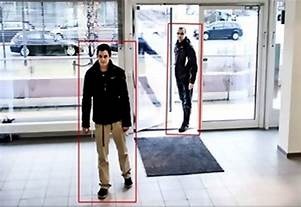
Four Walls Security uses AI-powered tailgating detection instead of simple beam sensors—a smarter way to prevent unauthorised piggybacking through doors. You also get biometric readers with encrypted user credentials, keeping personal information protected.
Four Walls Security benefits
- Complete service package: From initial design through to ongoing maintenance, you deal with one trusted provider rather than coordinating multiple contractors.
- AI-powered tailgating detection: This catches people trying to slip through behind authorised staff—something basic sensors miss.
- Biometric options with encryption: Fingerprint and facial recognition readers keep credentials secure while making entry quick.
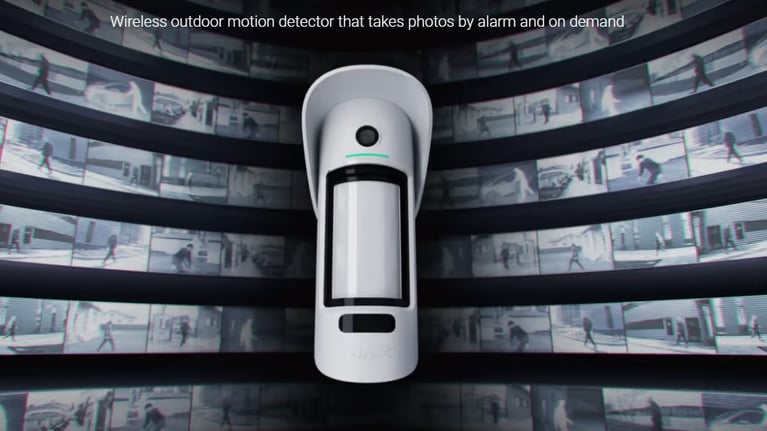
- Automated email notifications: Get video evidence sent directly to your inbox when specific access events occur, so you can review incidents remotely.
- CCTV integration: Your access control and camera systems work together, linking door events to video footage for complete oversight.
- Proven track record: Trusted by major companies including Volvo Group Australia, The Gabba, Armguard and Linfox Logistics with client relationships spanning over a decade.
Four Walls Security pros and cons
Pros:
- Customised solutions designed for your specific premises and security needs
- Local Brisbane team with fast response times for service and support
- Systems meet Australian Security Industry Association Limited (ASIAL) standards
Cons:
- Customised design requires an initial consultation period—though this ensures the system actually fits your needs
- Professional installation takes longer than DIY options—but quality workmanship means fewer issues down the track
- Service area focused on Brisbane and surrounding regions—ideal if you're local
2. Keypad PIN systems: Simple entry for single-door setups
Keypad systems let staff enter a numeric code to unlock doors. They've been around for decades and remain popular for small offices with one or two controlled entry points. Each person gets their own PIN, and you can change codes when someone leaves.
These systems work well when you have a small, stable team. However, codes can be shared or observed, so they're not suited for high-security areas where you need to verify exactly who entered.
Keypad PIN systems features
- Individual codes: Assign unique PINs to track who uses which entry.
- Time-based scheduling: Set codes to work only during business hours.
- Battery backup: Many keypads keep working during power outages.
Keypad PIN systems pros and cons
Pros:
- No cards or fobs to lose or replace
- Simple installation on most door types
- Staff can memorise their code without carrying anything
Cons:
- Codes can be shared between people or observed over someone's shoulder
- No way to verify identity—anyone with the code can enter
- Frequent code changes needed when staff turnover occurs
3. Card and fob systems: Familiar credentials for multi-door buildings
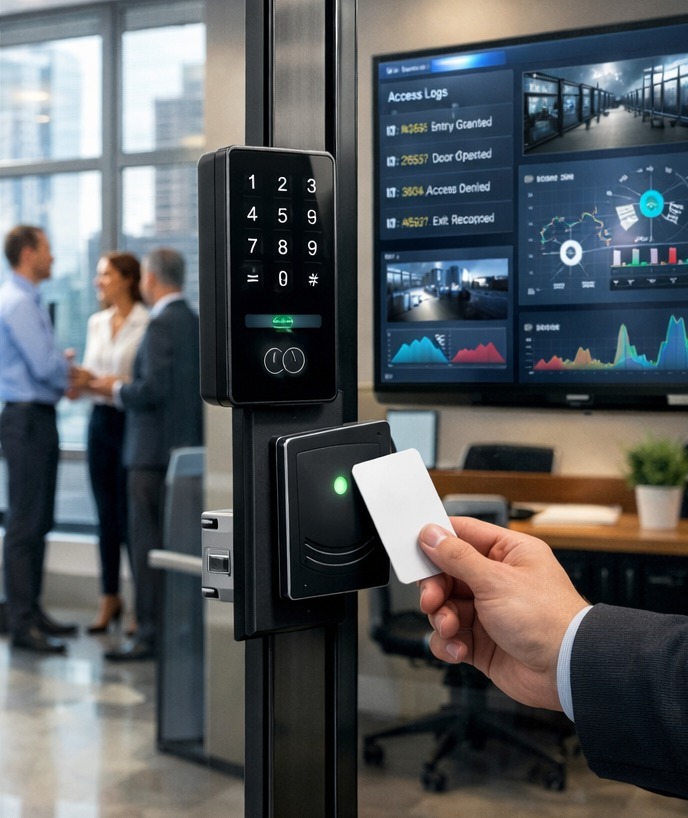
Card readers using RFID or proximity technology are common in Australian commercial buildings. Staff tap a card or fob against a reader, and the system checks their permissions before unlocking the door. You can assign different access levels so that warehouse staff can't enter the accounts office, for example.
Cards are easy to issue and revoke. When someone leaves, you deactivate their card instantly—no rekeying locks or worrying about copied credentials floating around.
Card and fob systems features
- Zone-based permissions: Control which doors each cardholder can access.
- Instant deactivation: Disable lost or stolen cards with a few clicks.
- Event logging: See a complete history of who accessed which door and when.
Card and fob systems pros and cons
Pros:
- Quick tap-and-go entry without memorising codes
- Easy to scale as your business adds doors or staff
- Detailed audit trails for compliance and security reviews
Cons:
- Cards can be lost, forgotten at home, or lent to others
- Older proximity cards can be cloned without encryption
- Requires reader installation at each controlled door
4. Biometric systems: Fingerprint or facial recognition for high-security areas
Biometric readers verify identity using physical characteristics like fingerprints or facial features. This makes them harder to fool—you can't share your fingerprint like you can share a PIN code. They're particularly useful for server rooms, cash handling areas, or anywhere you need certainty about who entered.
Modern biometric systems are fast and accurate. Facial recognition can unlock a door in under half a second, and fingerprint readers handle high traffic without creating queues.
Biometric systems features
- Identity verification: Confirms the person presenting credentials is who they claim to be.
- No credentials to lose: Staff can't forget their fingerprint at home.
- Anti-spoofing protection: Quality readers detect fake photos or moulds.
Biometric systems pros and cons
Pros:
- Credentials cannot be shared, lost or duplicated
- Fast entry once enrolled—no fumbling with cards
- Creates a verified audit trail of exactly who entered
Cons:
- Higher upfront cost than card or keypad systems
- Some staff may have privacy concerns about biometric data storage
- Environmental factors like dirt or moisture can affect fingerprint readers
5. Mobile credential systems: Smartphone-based access for tech-forward offices
Mobile access uses smartphones as digital keys. Staff download an app that communicates with door readers via Bluetooth or NFC. This approach is gaining popularity in modern offices where everyone already carries a phone.
The convenience is obvious—no separate card to manage. However, it does require staff to have compatible phones and keep them charged.
Mobile credential systems features
- Remote credential management: Issue or revoke access from anywhere without physical card handover.
- Multi-factor options: Combine mobile credentials with PIN or biometric for added security.
- Visitor access: Send temporary credentials to contractors or guests before they arrive.
Mobile credential systems pros and cons
Pros:
- No physical credentials to manufacture or replace
- Staff already carry their phone—one less thing to remember
- Updates and security patches deploy automatically through the app
Cons:
- Depends on smartphone battery and Bluetooth functioning
- Not all staff may have compatible devices
- Requires reliable network connectivity for remote management features
6. Cloud-based systems: Remote management for multi-site operations
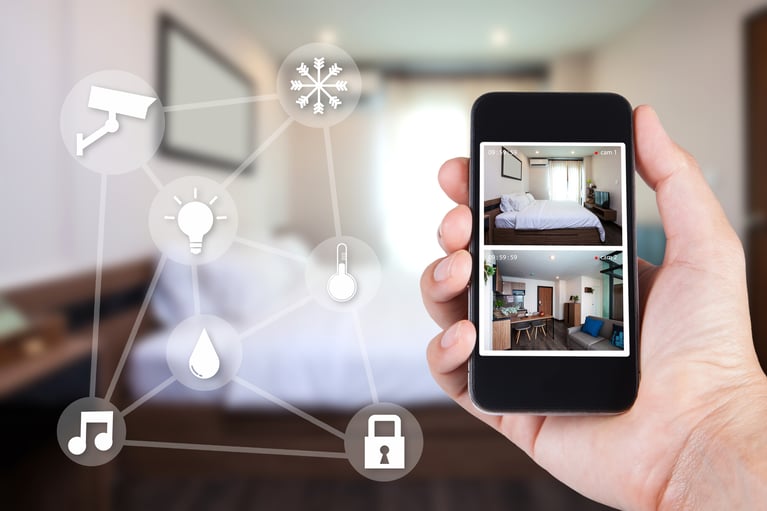
Cloud-based access control connects your doors to internet-hosted servers, letting you manage access across multiple locations from a single dashboard. This suits businesses with several offices, warehouses or retail sites spread across different suburbs.
Changes you make in the cloud apply immediately across all connected sites. If you need to disable an ex-employee's access at 10pm on a Sunday, you can do it from your couch rather than driving to each location.
Cloud-based systems features
- Centralised management: One login to control doors at all your locations.
- Automatic updates: Software patches and new features roll out without manual intervention.
- Real-time alerts: Get notifications when specific access events occur.
Cloud-based systems pros and cons
Pros:
- Manage multiple sites from anywhere with internet access
- No on-site server to maintain or back up
- Scales easily as you open new locations
Cons:
- Ongoing subscription costs for cloud hosting
- Requires stable internet connection at each site
- Data stored off-site may raise questions for some businesses
7. Standalone smart locks: Quick installation when network access is limited
Standalone smart locks operate independently without connecting to a network. They're programmed directly at the door and store credentials locally. This makes them useful for remote sites, heritage buildings where cabling is difficult, or doors far from your IT infrastructure.
While they lack the remote management of networked systems, standalone locks still offer electronic convenience over traditional keys.
Standalone smart locks features
- No network required: Works anywhere you can install the lock itself.
- Multiple credential types: Many support PIN, card and key override.
- Battery powered: No mains wiring needed at the door.
Standalone smart locks pros and cons
Pros:
- Fast installation without running cables
- Works in locations without network connectivity
- Lower upfront cost for single-door applications
Cons:
- Must be programmed on-site—no remote credential management
- Limited audit trail compared to networked systems
- Battery replacement and maintenance required at each door
Comparison table: Access control systems for small businesses
| System | AI Tailgating Detection | CCTV Integration | Professional Monitoring |
|---|---|---|---|
| Four Walls Security | ✓ | ✓ | ✓ |
| Keypad PIN | ✗ | ✗ | ✗ |
| Card and Fob | ✗ | Varies | ✗ |
| Biometric | ✗ | Varies | ✗ |
| Mobile Credential | ✗ | Varies | ✗ |
| Cloud-Based | ✗ | Varies | ✗ |
| Standalone Locks | ✗ | ✗ | ✗ |
What should you consider before upgrading your building access control?
Start with a clear picture of what you're protecting. A retail shop with valuable stock has different needs than a professional services office with sensitive client data. Walk through your premises and note every entry point—including loading docks, fire exits and internal doors between departments.
Think about your daily operations too. How many people need access? Do you have contractors or cleaners coming outside business hours? Will staff need to enter multiple buildings? Your answers shape whether a simple keypad suffices or you need a networked system with zone-based permissions.
Consider future growth as well. Installing a system you'll outgrow in two years costs more in the long run than choosing something scalable from the start. Four Walls Security designs systems with expansion in mind, so adding doors or users later doesn't mean starting from scratch.
How do small business access control solutions integrate with CCTV?
Linking your access control to CCTV cameras creates a more complete security picture. When someone swipes their card at a door, the system can automatically tag the corresponding camera footage. If an incident occurs, you can quickly pull up video of who entered and when.
This integration also helps with investigations. Instead of manually matching timestamps from separate systems, you see door events and video side by side. Four Walls Security installs integrated systems where access events trigger automatic video clips with email notifications—giving you visual confirmation of after-hours entries without logging into multiple platforms.
Not every access control product supports CCTV integration out of the box. When you're evaluating options, ask specifically about camera compatibility and whether the systems share a unified interface.
Why Four Walls Security is the best access control choice for small businesses
Running a small business means you can't afford security gaps or systems that create daily frustrations. Four Walls Security gives you a solution designed around how your business actually operates—not a generic package that sort of fits.
The team's 20-plus years in the Brisbane security industry translates to practical expertise. They've seen what works in warehouses, retail shops, offices and mixed-use buildings. That experience informs every recommendation, so you get a system that addresses real threats rather than theoretical ones.
Four Walls Security combines access control with CCTV and alarm integration, creating a unified security ecosystem you can trust. When you're ready to protect your premises properly, get in touch with the team for a consultation tailored to your needs.
FAQs about access control systems for small businesses in Australia
How much does a commercial access control system cost in Australia?
Costs vary based on the number of doors, credential type and whether you need monitoring. A single-door keypad setup sits at the lower end, while a multi-door biometric system with CCTV integration costs more. Four Walls Security offers customised quotes based on your specific requirements.
Can I install access control myself or do I need a professional?
Some standalone locks are marketed for DIY installation. However, professional installation ensures correct wiring, proper door hardware compatibility and compliance with Australian electrical standards. Four Walls Security handles everything from design to commissioning.
What happens if my access control system loses power?
Quality systems include battery backup or fail-safe locks that default to unlocked for emergency egress. Your installer should configure fail modes to meet your security and safety requirements. Four Walls Security designs systems with appropriate backup for each door's function.
How do I manage access for contractors and visitors?
Modern systems let you issue temporary credentials with automatic expiry. You can set time windows for cleaners, limit contractors to specific areas, and revoke access instantly when a job finishes. Four Walls Security can configure visitor management workflows that suit your operations.
Do access control systems need regular maintenance?
Like any electronic system, access control benefits from periodic checks. Battery replacement, firmware updates and reader cleaning keep things running smoothly. Four Walls Security includes ongoing maintenance in their service packages to prevent issues before they affect your security.